Home: Difference between revisions
No edit summary |
No edit summary Tags: Manual revert Visual edit: Switched |
||
| (5 intermediate revisions by 2 users not shown) | |||
| Line 9: | Line 9: | ||
<div class="carousel-heading">''<big>New Here? Try These Projects!</big>''</div> | <div class="carousel-heading">''<big>New Here? Try These Projects!</big>''</div> | ||
<!-- This is where the javascript derived carousel items are injected --> | <!-- This is where the javascript derived carousel items are injected --> | ||
{{#widget:Carousel|category=SimpleProjects}} | |||
<div style="display: flex; gap: 20px; justify-content: center; flex-wrap: wrap;"> | <div style="display: flex; gap: 20px; justify-content: center; flex-wrap: wrap;"> | ||
<div | <div class="homeInfoBox"> | ||
<strong>Looking For More Projects?</strong><p>In [[Project_Tutorials|Project Tutorials]] you can see creations from other students, find tutorials, and so much more.</p> | <strong>Looking For More Projects?</strong><p>In [[Project_Tutorials|Project Tutorials]] you can see creations from other students, find tutorials, and so much more.</p> | ||
</div> | </div> | ||
<div | <div class="homeInfoBox"> | ||
<strong>Have A Project To Submit?</strong><p>Use [https://docs.google.com/forms/d/e/1FAIpQLSeSH7LlyvSWwDBh5RSR8YahUMdCFJPdScK_uNVpgzkg3pIwPg/viewform this form] to submit a project to the Project Tutorials.</p> | <strong>Have A Project To Submit?</strong><p>Use [https://docs.google.com/forms/d/e/1FAIpQLSeSH7LlyvSWwDBh5RSR8YahUMdCFJPdScK_uNVpgzkg3pIwPg/viewform this form] to submit a project to the Project Tutorials.</p> | ||
</div> | </div> | ||
| Line 40: | Line 40: | ||
<div class="mobile-map" style="display: flex; justify-content: center; align-items: center; text-align: center;"> | <div class="mobile-map" style="display: flex; justify-content: center; align-items: center; text-align: center;"> | ||
<imagemap>Image:Rereredomobile.png | Interactive Map | <imagemap>Image:Rereredomobile.png | Interactive Map | 400px | ||
poly 83 154 84 198 94 198 93 206 82 215 172 218 173 204 179 206 184 216 191 208 194 217 231 216 231 157 [[Spaces#Class_Of_1969_Makerspace|Makerspace]] | poly 83 154 84 198 94 198 93 206 82 215 172 218 173 204 179 206 184 216 191 208 194 217 231 216 231 157 [[Spaces#Class_Of_1969_Makerspace|Makerspace]] | ||
poly 130 246 131 257 125 262 124 372 120 363 109 371 16 370 16 398 59 398 59 411 67 407 73 398 125 397 130 407 141 414 143 431 182 435 182 417 192 412 198 399 202 376 162 371 161 245 154 247 148 254 140 251 [[Spaces#Repair_Lair|Repair Lair]] | poly 130 246 131 257 125 262 124 372 120 363 109 371 16 370 16 398 59 398 59 411 67 407 73 398 125 397 130 407 141 414 143 431 182 435 182 417 192 412 198 399 202 376 162 371 161 245 154 247 148 254 140 251 [[Spaces#Repair_Lair|Repair Lair]] | ||
Latest revision as of 03:43, 18 March 2025
This is the knowledge base for the Class of 1969 Makerspace and Instrument Shop. You can find information about all the tools available in our spaces, as well as project ideas and tutorials. Our mission is to provide all members of the Carleton community opportunities to engage in hands-on, experiential learning in a broadly interdisciplinary and collaborative space. We invite everyone to use the tools, resources, and trainings we provide to nurture their creativity, explore new ways of thinking, and create sustainable, empathetic solutions to challenges at all scales.
Hope you can stop by and make sure to follow the Makerspace Instagram to see what we are up-to and to stay updated on upcoming events!
In Project Tutorials you can see creations from other students, find tutorials, and so much more.
Use this form to submit a project to the Project Tutorials.
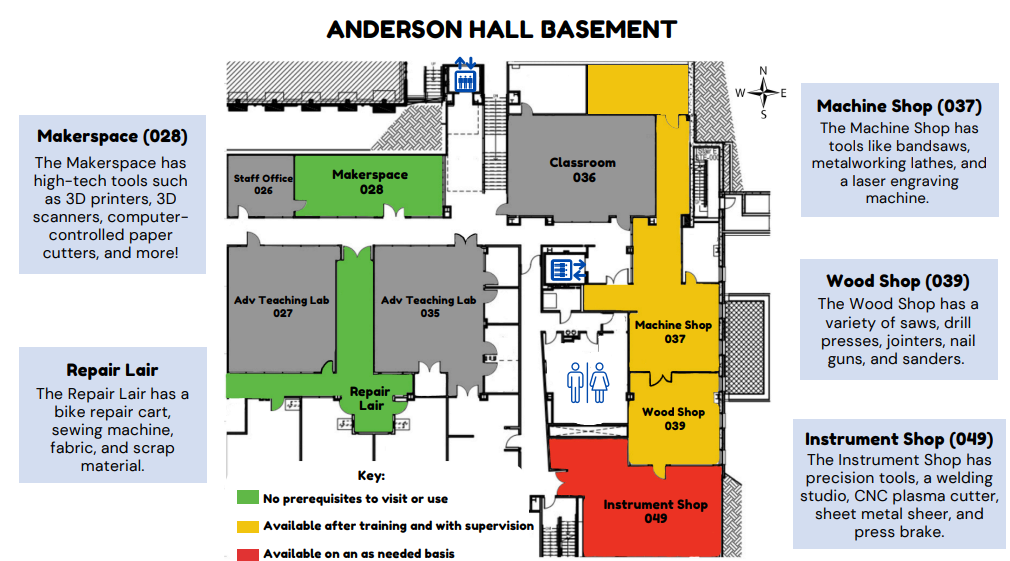
Spaces On Campus
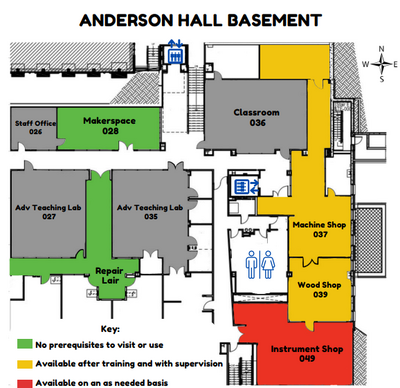
The Makerspace is located in the basement of Anderson Hall.